
The secret to reclaiming 10+ hours a week isn’t finding one magic AI tool—it’s fundamentally changing how you work.
- True productivity gains come from using AI as a strategic « cognitive partner, » not just a task automator.
- Investing in paid AI tools delivers exponential ROI by unlocking advanced features and boosting your marketable skills.
- The biggest opportunity lies in offloading low-value cognitive work to AI, freeing you to focus on irreplaceable human expertise like strategy and client relationships.
Recommendation: Stop searching for a single solution and start re-architecting your freelance business to integrate AI as a core strategic asset.
If you’re a freelance creative or consultant, you know the paradox: you sell high-value expertise, but a huge portion of your day is consumed by low-value administrative overhead. Chasing invoices, writing tedious client update emails, and managing projects are the silent thieves of creative energy. The common advice is to « use AI to automate it, » which often leads to a frustrating cycle of testing free tools that produce generic, unusable results, leaving you more overwhelmed than before.
Many guides will list dozens of AI tools or give you generic « top 10 » prompts. They treat Generative AI as a simple replacement for a human assistant. But this misses the point entirely. The real bottleneck isn’t the tasks themselves, but the cognitive load they represent. The constant context-switching between creative work and administrative minutiae drains your most valuable resource: deep focus.
What if the solution wasn’t just about automating tasks, but about strategically offloading entire categories of thinking? This is the shift from viewing AI as a simple tool to embracing it as a cognitive partner. It’s about building a new productivity architecture for your freelance business, where AI handles the predictable, and you focus on the exceptional. This guide will walk you through building that architecture—from making the right financial investment in tools to developing the strategic skills that make you an indispensable human partner in an AI-augmented world.
This article provides a complete framework for moving beyond basic automation. We’ll explore the financial case for paid tools, the art of crafting effective prompts, the critical legal considerations, and how to strategically upskill to not only survive but thrive.
Summary: Architecting Your Freelance Business with AI
- Why Relying Solely on Free AI Versions Limits Your Professional Growth?
- How to Write Prompts That Generate Usable Client Emails on the First Try?
- Copyright and AI: The Legal Trap That Could Cost Content Creators Thousands
- ChatGPT vs Claude: Which AI Assistant Writes Better Technical Documentation?
- How to Upskill Your Creative Process to Complement AI Rather Than Compete?
- How to Adapt to the Acceleration of Smart Digital Innovation Without Bankrupting Your Startup?
- Which Nootropic Supplements Actually Boost Cognitive Function for Coding Tasks?
- Which Scalable Cloud Computing Infrastructure Offers the Best ROI for Bootstrapped SaaS?
Why Relying Solely on Free AI Versions Limits Your Professional Growth?
The allure of free AI tools is strong, but it’s a classic case of « you get what you pay for. » Relying on the free tier of generative AI is like trying to build a business using only a public library’s Wi-Fi. It works for basic tasks, but it’s slow, limited, and ultimately holds you back from serious, professional-grade work. The limitations aren’t just technical—they’re strategic. Free versions often have smaller context windows, slower processing speeds, and lack the advanced features that turn AI from a novelty into a powerhouse.
The real cost of « free » is opportunity cost. Mastering advanced AI workflows is quickly becoming a high-value skill. Platform data reveals a significant wage premium for freelancers with demonstrable AI expertise, with some reporting a 30-45% rate growth for AI-adjacent skills between 2022 and 2024. Sticking to free tools prevents you from developing this valuable « human-in-the-loop » proficiency that clients are increasingly willing to pay for. Investing in a paid subscription is not an expense; it’s an investment in your own capabilities and earning potential.
The return on investment is surprisingly fast. A simple ROI framework shows that a freelancer billing at $50 per hour only needs to save about 48 minutes of work per week to completely cover the cost of a typical $20/month AI subscription. For anyone using these tools for administrative or creative tasks, that threshold is crossed almost immediately. The moment AI saves you from writing one complex project update email or helps you structure a proposal, the subscription has paid for itself. Beyond that, it’s pure profit, both in billable hours saved and in the higher quality of work you can produce.
How to Write Prompts That Generate Usable Client Emails on the First Try?
The most common frustration with AI is the « garbage in, garbage out » problem. You ask for a client email and get a robotic, generic template that would do more harm than good. The solution isn’t a « magic prompt, » but a strategic communication framework. Instead of asking the AI to simply « write an email, » you must treat it as a cognitive partner that needs context, a persona, and a clear objective. The goal is to guide its reasoning process before it ever writes a word.
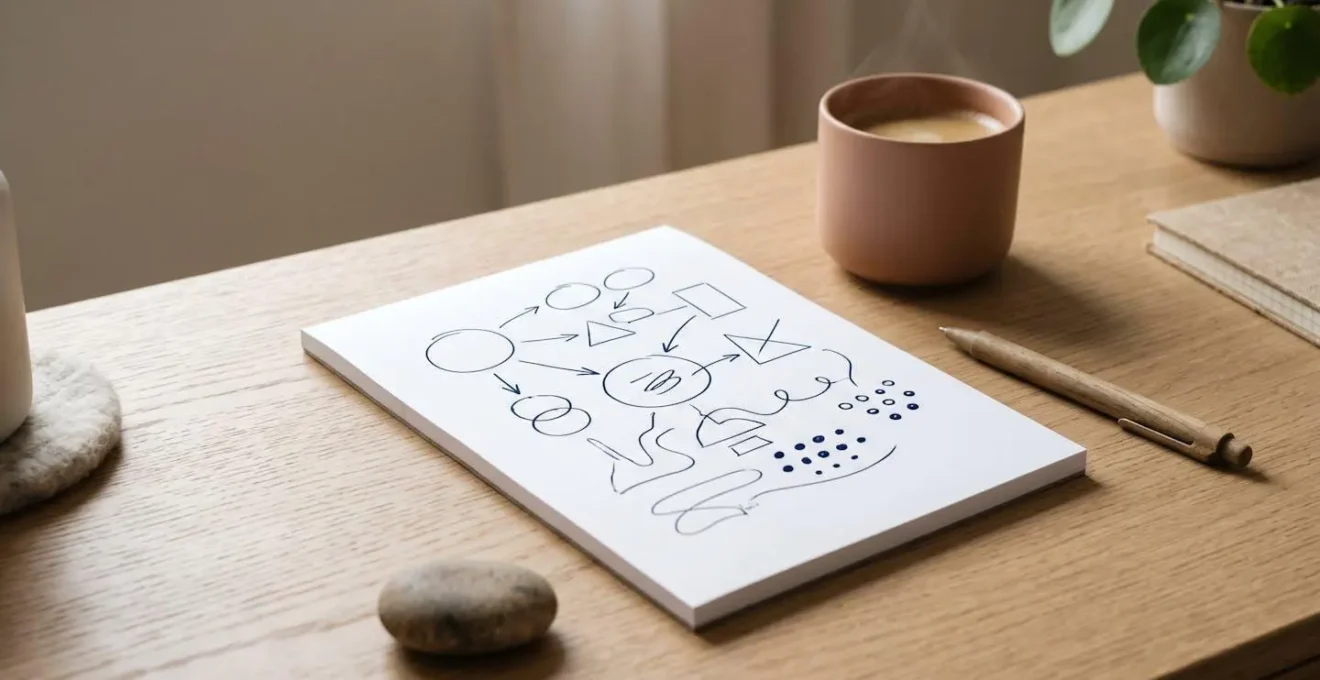
As the image above suggests, effective prompting is about strategy and structure, not just words. You need to provide the AI with the essential building blocks of the situation. This includes the project’s status, the client’s personality (e.g., « formal and data-driven » vs. « casual and relationship-focused »), the history of your interactions, and, most importantly, the desired psychological outcome of the email. Do you want to reassure an anxious client, firmly defend a project scope, or gently upsell a new service? Defining the « job » of the email is the first step.
Once you’ve defined the context, you can use advanced prompting techniques to shape the output. This is where you move from a simple user to a sophisticated operator, crafting prompts that deliver near-perfect results on the first attempt. By providing clear examples and defining the AI’s role, you transform it from a generic text generator into a personalized communication assistant that sounds like you.
Action Plan: Prompting for Professional Communication
- Chain-of-Thought Prompting: Instruct the AI to break the task into logical steps. For example: « First, summarize the project progress. Second, address the client’s specific concern about the timeline. Third, propose two clear options for the next steps. Finally, write the email. »
- Few-Shot Prompting: Provide 2-3 short examples of your actual emails. Start your prompt with: « Here are examples of my communication style. [Example 1] [Example 2]. Now, using this style, write an email that… »
- Role Assignment: Give the AI a specific persona. For instance: « Act as a diplomatic business consultant who values long-term relationship preservation above all. Your tone should be confident, reassuring, and clear. »
- Context Engineering: Include a background brief in your prompt. « Context: The client is frustrated with a delay caused by their team. My goal is to acknowledge the delay without accepting blame and pivot the conversation to a productive solution. »
- Iterative Refinement: Before tackling a high-stakes client email, test your prompt structure on a low-stakes scenario. Analyze the output and refine the role, context, or examples to get closer to your desired voice.
Copyright and AI: The Legal Trap That Could Cost Content Creators Thousands
As you integrate AI into your creative and administrative workflows, you step into a complex and rapidly evolving legal landscape. The question of « who owns AI-generated content? » is not just academic; it has real-world financial consequences for freelancers. Using AI without understanding the copyright implications is like building a house on land you don’t own. It may look fine now, but it could lead to disastrous legal challenges down the line, especially if you’re creating content for clients who assume they have full ownership.
The U.S. Copyright Office has been clear: for a work to be copyrightable, it must be the product of human authorship. Purely AI-generated text or images generally cannot be copyrighted. However, the situation is more nuanced for AI-assisted works. If a human provides significant creative input—through selection, arrangement, or substantial modification of AI outputs—the resulting work may be eligible for copyright protection. This distinction is critical for freelancers. You aren’t just selling the AI’s output; you’re selling your expert curation, editing, and strategic integration of that output.
The terms of service of the AI platform you use are also a crucial piece of the puzzle. Different platforms have vastly different policies regarding ownership and commercial use. Some grant you full ownership of the output, while others only provide a license to use it. Relying on an AI tool without reading its commercial use policy is a major risk. For creative freelancers, choosing a platform with clear terms and legal indemnification can be a powerful selling point and a vital form of professional insurance.
This table compares the copyright positions of major AI platforms, highlighting the critical differences for commercial use. The data underscores the need for due diligence, as analyzed in a recent legal overview of generative AI outputs.
| AI Platform | Copyright Position (U.S.) | Commercial Use Rights | Human Authorship Requirement |
|---|---|---|---|
| ChatGPT (OpenAI) | User owns output (subject to terms) | Permitted with attribution to human creator | Substantial human modification or arrangement required for protection |
| Claude (Anthropic) | User owns output (subject to terms) | Permitted with human creative input | Human authorship must be demonstrable and significant |
| Midjourney | License granted to user (not full ownership) | Commercial use allowed under license | Selection and arrangement may be protectable |
| Adobe Firefly | User owns output | Full commercial use with indemnification protection | AI-assisted works eligible for registration |
| Getty Images AI | User owns output | Commercial use with legal indemnification | Outputs backed by Getty’s legal protection |
ChatGPT vs Claude: Which AI Assistant Writes Better Technical Documentation?
When it comes to high-stakes, detailed work like technical documentation, the « best » AI model isn’t a matter of opinion—it’s about technical capabilities. For freelancers working with developers, engineers, or software products, producing clear, accurate, and comprehensive documentation is a critical value-add. This is where the architectural differences between models like OpenAI’s ChatGPT and Anthropic’s Claude become paramount. While both are powerful, they are not interchangeable, especially for tasks requiring deep contextual understanding.
The single most important differentiator is the context window—the amount of information the model can « remember » and process in a single conversation. In recent comparisons, Claude’s massive context window (up to 1,000,000 tokens) gives it a decisive edge over ChatGPT-4’s (128,000 tokens) for large-scale documentation projects. As in-depth comparisons have shown, this means Claude can analyze an entire codebase or multiple lengthy documents simultaneously. ChatGPT, by contrast, may require you to « chunk » the information, feeding it smaller pieces, which risks losing the overarching context.
Claude produces texts with cleaner structure and more appropriate register for corporate communication, reports and technical documentation.
– GuruSup Technical Analysis Team
However, the answer isn’t simply « use Claude. » Sophisticated freelancers build a productivity architecture that leverages the strengths of each tool. Many developers find ChatGPT’s speed ideal for rapid prototyping, generating code snippets, or debugging isolated functions. They then switch to Claude for the final, heavy-lifting phase: ingesting the entire project’s context to write comprehensive, internally consistent production-ready documentation. The choice isn’t about which tool is « smarter, » but which tool’s architecture is best suited for the specific cognitive task at hand.
How to Upskill Your Creative Process to Complement AI Rather Than Compete?
The fear that AI will replace freelancers is based on a fundamental misunderstanding of value. AI is exceptionally good at completing tasks, but it is incapable of possessing strategic oversight, deep industry expertise, or genuine client empathy. The opportunity for freelancers is not to become faster typists, but to move up the value chain, focusing on the uniquely human skills that AI cannot replicate. The goal is to evolve from a « doer » to a « strategist » who wields AI as a powerful leverage tool.
This isn’t just a theoretical concept; it has a direct financial impact. A 2024 survey of elite tech freelancers revealed that 80% believe Generative AI increases their earning potential, with 16% having already raised their rates to reflect their AI-augmented skills. They aren’t charging more for the same work; they are charging more because they are delivering a higher-level service: AI-accelerated research combined with premium human insight, curation, and creative direction.
Upskilling in the age of AI means consciously developing your « anti-generative » skills. These are the capabilities that are inherently difficult to automate. Instead of competing with AI on speed or volume, you compete on:
- Niche Specialization: Deep knowledge in a complex domain like fintech or medical writing that AI lacks the real-world context to master.
- Strategic Curation: The ability to sift through AI-generated options and identify the single most effective solution based on client goals and market realities.
- Personal Voice and Thought Leadership: Developing a unique, controversial, or deeply personal perspective that AI, by its nature as a consensus machine, cannot produce.
- Client Empathy and Relationship Management: The human ability to understand unspoken needs, navigate complex stakeholder politics, and build trust—skills that are more valuable than ever.
The future-proof freelancer positions themselves as an AI-powered strategic partner. They don’t just deliver a finished product; they guide the client, use AI to explore possibilities at scale, and apply their expert judgment to make the final, critical decisions. This shift in positioning is the single most important step you can take to ensure your long-term relevance and profitability.
How to Adapt to the Acceleration of Smart Digital Innovation Without Bankrupting Your Startup?
For a freelancer or a bootstrapped startup, the pressure to adopt every new AI tool can feel overwhelming and financially reckless. The key is not to chase every shiny new object, but to adopt a disciplined, portfolio-based approach to technology investment. Instead of making large, risky bets, you should allocate a small, fixed portion of your budget specifically for experimentation. This allows you to stay on the cutting edge without jeopardizing your financial stability.

The process of adapting is one of calculated risk, not blind faith. Financial advisors have developed clear frameworks for this. For example, a common recommendation is that small businesses should allocate 1-3% of their revenue to their entire technology stack. Of that technology budget, a slice of 20-30% should be dedicated to AI tools and experimentation. For a freelance business with $100,000 in annual revenue, this translates to a manageable and strategic budget of roughly $200-$900 per year for exploring new AI capabilities.
This structured approach transforms your spending from a series of reactive costs into a proactive investment in R&D. According to guidance for small businesses, even a larger operation with $500,000 in revenue should cap its AI experimentation budget wisely. As financial advisors recommend, such a business should allocate $1,000-$1,500 annually for AI tools. This budget isn’t for running your core operations; it’s your « learning fund. » It gives you the freedom to test a new AI-powered video editor for one month or a specialized data analysis tool for another, keeping what works and discarding what doesn’t. This prevents you from getting locked into expensive annual subscriptions for tools that don’t deliver a clear ROI, ensuring innovation fuels growth instead of draining cash flow.
Which Nootropic Supplements Actually Boost Cognitive Function for Coding Tasks?
In the high-pressure world of creative and technical freelancing, the search for a mental edge is constant. This has led many to explore nootropics—so-called « smart drugs » or cognitive enhancers—hoping to boost focus, memory, and mental stamina for demanding tasks like coding or strategic writing. The market is flooded with supplements promising enhanced performance, but the scientific evidence for many is thin, and the real-world impact is often negligible compared to foundational habits like sleep and exercise.
While some compounds show modest benefits in specific contexts, there’s a growing realization that the most powerful cognitive boost available to a freelancer today doesn’t come in a pill. The true « hack » is not biological, but procedural. It’s about fundamentally re-architecting your workflow to protect your finite mental energy for the tasks that matter most. This is the principle of strategic cognitive offloading: delegating low-level, repetitive mental work to an external system to free up your brain’s « RAM » for high-level problem-solving and creativity.
Generative AI is the ultimate tool for this kind of cognitive offloading. Instead of trying to enhance your brain to better handle boilerplate code, debugging, or drafting routine documentation, you can simply delegate those tasks to your AI partner. The mental energy saved is far more significant and sustainable than any boost a supplement could provide. As experts from Microsoft have noted, this shift in perspective is the key to unlocking next-level productivity.
The most effective ‘cognitive booster’ isn’t a pill, but the act of delegating low-level cognitive tasks (boilerplate code, debugging, documentation) to AI. This frees up far more mental ‘RAM’ for high-level problem-solving than any supplement.
– Freelance Productivity Analysis, Microsoft 365 Life Hacks
Key takeaways
- Stop thinking of AI as a simple automator and start treating it as a strategic cognitive partner to offload mental work.
- Investing in paid AI tools provides a rapid and significant ROI by unlocking professional features and increasing your market value.
- Your greatest competitive advantage is your human expertise; upskill in strategy, curation, and client relationships—skills AI cannot replicate.
Which Scalable Cloud Computing Infrastructure Offers the Best ROI for Bootstrapped SaaS?
At first glance, a question about cloud infrastructure for a SaaS company might seem irrelevant to a freelancer. But as you successfully integrate AI into your workflow, a fascinating transformation occurs: you begin to operate less like an individual and more like a micro-business. Your « product » is your AI-augmented service, and your ability to deliver it consistently and at scale becomes your primary challenge. This is where the principles of scalable infrastructure become critically important, not for hosting a software product, but for managing your own high-volume, high-value service delivery.
The context for this shift is the near-universal adoption of AI among knowledge workers. With data from Microsoft and LinkedIn indicating that 75% of global knowledge workers now actively use AI in their workflows, simply using AI is no longer a differentiator. The new frontier for top-tier freelancers is building a robust, scalable *business system* around their AI-powered services. This means moving beyond ad-hoc tools and thinking about a cohesive « stack » that handles client intake, project management, asset delivery, and communication.
For a freelancer, « scalable cloud infrastructure » doesn’t mean renting servers from AWS. It means leveraging cloud-based platforms that offer the best ROI for a one-person operation. This could be a sophisticated project management tool like Asana or Notion integrated with Zapier for automation, a digital asset management system like Dropbox or Google Drive with advanced sharing features, or a client portal built on a platform like Softr. The goal is to create a seamless, repeatable system that allows you to handle more clients and larger projects without being buried in manual coordination. The « ROI » is measured in the hours you save from administrative drag and the additional revenue you can generate by taking on more work without a drop in quality.
Thinking like a SaaS business means you are constantly optimizing your delivery pipeline. You are looking for the 10% of administrative work that takes 50% of your time and finding a cloud-based tool or automation to eliminate it. This is the final step in building a true productivity architecture—one that not only makes you more efficient but also makes your entire business more resilient, profitable, and scalable.
To put these strategies into practice, the next logical step is to audit your current administrative workload and identify the top three time-consuming tasks that could be offloaded to an AI cognitive partner. Start small, prove the ROI, and build your new productivity architecture one step at a time.