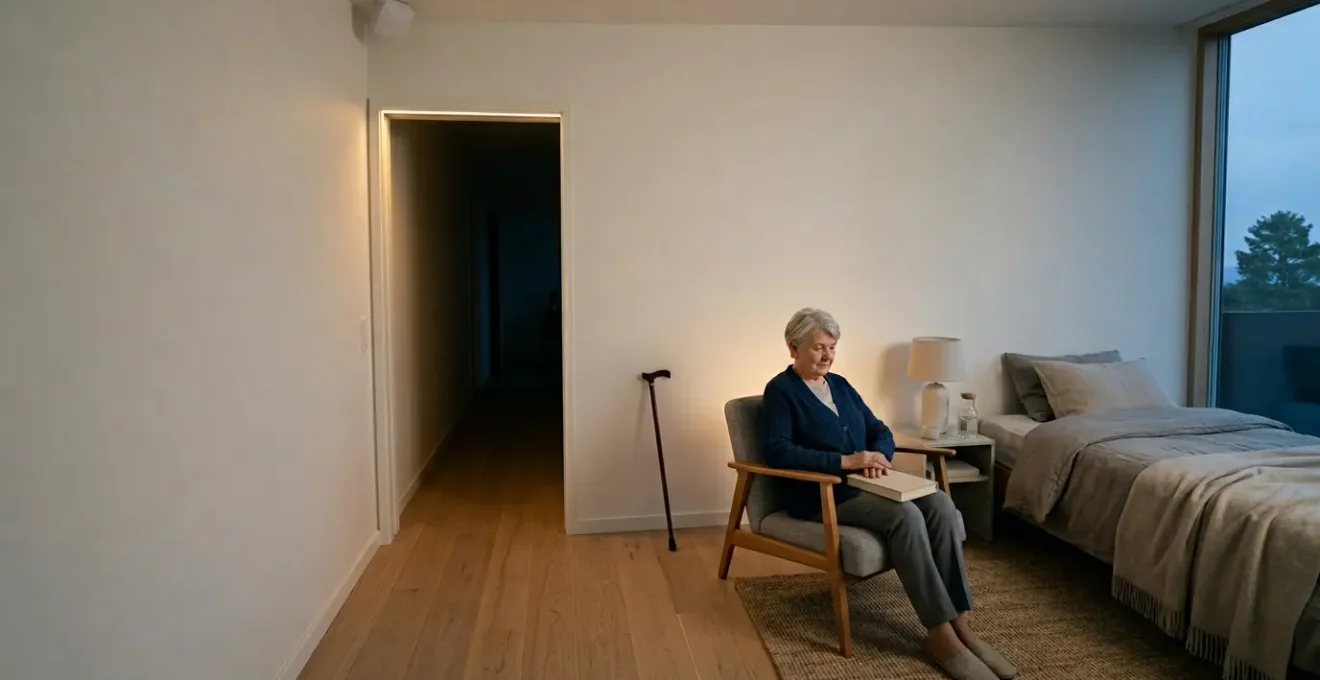
Effective fall detection for seniors isn’t about the « best » single device, but about building a resilient safety net that anticipates failure and respects dignity.
- Prioritize privacy-preserving sensors (like mmWave radar) over invasive cameras to monitor safety without sacrificing personal space.
- Build a « hierarchy of reliability » for critical functions like door access, ensuring offline methods are the primary failsafe during power or internet outages.
Recommendation: Stop searching for one magic gadget. Start planning in layers: prevention (lighting), detection (sensors), response (locks/alerts), and security (network).
The thought of an aging parent falling at home and being unable to call for help is a profound source of anxiety for many adult children. In response, the market has flooded with smart home gadgets promising peace of mind. The typical advice is to buy a wearable panic button or install a few cameras. However, this approach often fails in the real world. Seniors may forget or refuse to wear devices, and constant camera surveillance can feel like an invasion of privacy, eroding trust and dignity.
Many commercially available systems are brittle; they rely on a perfect Wi-Fi signal or a clear voice command in a moment of crisis. The frustration with false alarms or, even worse, failed alerts, is a common story. But what if the solution wasn’t about finding a single, perfect device? What if the key was to move beyond individual gadgets and instead design a resilient, multi-layered « system of systems » that anticipates failure and puts human dignity at its core?
This guide will walk you through that new approach. We won’t just list products; we will explain the principles behind creating a robust safety net. We will explore how to make technology a reliable partner in care, focusing on failsafe protocols and privacy-first solutions. By understanding these layers, you can build a system that offers genuine security and respects the independence of your loved ones.
Summary: A Resilient Smart Home Safety Net for Seniors
- Why Voice Assistants Frustrate Seniors With Speech Difficulties?
- How to Program Motion Sensor Lights to Prevent Nighttime Trips?
- Wi-Fi vs Bluetooth Locks: Which Is More Reliable for Emergency Access?
- The « Big Brother » Feeling: How to Monitor Safety Without Invading Dignity?
- When to Link Smart Home Sensors to Professional Monitoring Services?
- Connected Internet of Things Devices: The Security Flaw That Exposes 1 in 5 Smart Homes
- Telehealth Platforms vs In-Person Visits: Which Is Safer for Diagnosing Skin Issues?
- Telehealth Platforms vs In-Person Visits: Which Is Safer for Diagnosing Skin Issues?
Why Voice Assistants Frustrate Seniors With Speech Difficulties?
Voice assistants like Alexa and Google Assistant are often marketed as the ultimate accessibility tool for seniors. In theory, they offer a hands-free way to call for help. In practice, they can become a source of intense frustration and a critical point of failure in an emergency. The reality is that these systems are not optimized for the diverse vocal patterns of older adults, particularly those with medical conditions affecting their speech.
A significant portion of the senior population is affected by these issues. For instance, a systematic review published in the American Journal of Speech-Language Pathology found that over 18.79% of older adults experience voice disorders, a figure that rises dramatically in institutional settings. Conditions like dysarthria (slurred speech from muscle weakness), aphasia (post-stroke language difficulties), or even just a weaker, quieter voice can render a standard voice assistant useless. During the panic and physical stress of a fall, a senior’s ability to articulate a clear, loud command is compromised, precisely when they need it most.
This is why relying solely on voice commands for emergency alerts is a flawed strategy. A resilient system must include non-voice alternatives and backup protocols. Instead of just hoping the command is understood, the focus should be on creating a failsafe communication plan that works regardless of speech clarity. This involves building redundancy into the system so that help can be summoned even when a voice command is not recognized.
Action Plan: Failsafe Communication Protocol
- Enable AI Voice Training: Activate features that allow the assistant to adapt to individual speech patterns, including those affected by dysarthria or stroke, through repeated training sessions.
- Install Redundant Triggers: Place accessible smart buttons or provide wearable panic devices as a primary, non-voice backup for when speech recognition fails.
- Automate Emergency Sequences: Program fall detection sensors to automatically bypass voice commands and initiate an emergency call if a fall is detected followed by a lack of movement.
- Establish Two-Way Audio: Configure the system to allow caregivers to remotely activate two-way audio to listen in and speak to the senior, even if the user cannot initiate a call.
- Conduct Monthly Protocol Tests: Regularly test the entire failsafe system with the senior to ensure all backup methods function correctly and are understood before an actual emergency occurs.
How to Program Motion Sensor Lights to Prevent Nighttime Trips?
One of the most effective fall prevention strategies is also one of the simplest: adequate lighting. Nighttime trips to the bathroom are a high-risk activity for seniors due to darkness and disorientation. However, simply adding a standard, bright nightlight is often counterproductive. The harsh, blue-toned light can disrupt circadian rhythms, making it harder to fall back asleep. Many seniors find them so jarring that they simply unplug them, defeating the purpose entirely.
The solution is not just *any* light, but the *right* light, programmed intelligently. This means using circadian-friendly lighting—warm, amber-hued LEDs that don’t suppress melatonin production—and setting them up as a progressive pathway. The goal is for a sequence of low-intensity lights to turn on automatically, illuminating a clear path from the bed to the bathroom and back. The impact of such systems is significant; a study on upgraded lighting in care homes found that a 43% reduction in falls was observed among residents.
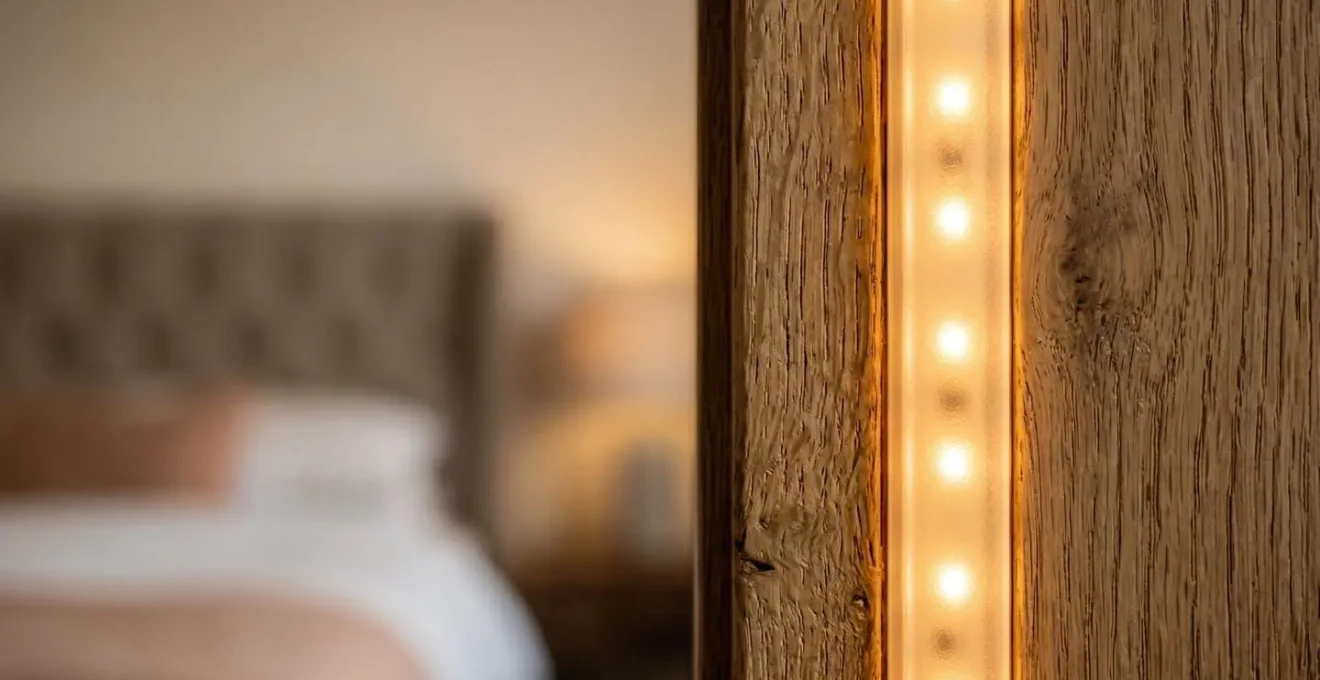
As the image above illustrates, the focus is on discreet, low-level illumination along baseboards or doorframes, not on flooding the room with light. The system should use a series of motion sensors. The first sensor near the bed activates the initial light, a second in the hallway activates the next, and so on. The lights should be programmed to stay on for a few minutes and then dim slowly, providing a safe journey without a jarring sensory experience.
Case Study: The Gight™ Automated Guiding Nightlight System
A study involving the Gight™ automated LED strip system in the homes of older adults demonstrated high user acceptance. Participants rated the system an 8.4 out of 10 for satisfaction, and 57% reported a reduced fear of falling at night. The key to its success was the progressive, automatic activation and the use of warm, circadian-friendly amber light. This « smart » approach to lighting improved vision and prevented collisions without disrupting sleep quality, addressing the primary reason seniors disable traditional nightlights.
Wi-Fi vs Bluetooth Locks: Which Is More Reliable for Emergency Access?
A smart lock seems like a perfect addition to a senior’s smart home, allowing family or emergency services to enter without needing a hidden key. However, the choice between a Wi-Fi-based lock and a Bluetooth-based lock has critical implications for reliability during an emergency. A Wi-Fi lock offers the convenience of remote access from anywhere, but it is completely dependent on a stable internet connection and a powered router—two things that can easily fail in a storm or power outage.
A Bluetooth lock, on the other hand, doesn’t require internet. It communicates directly with a smartphone in close proximity. This is more reliable for a caregiver standing at the door but offers no solution for remote unlocking by a family member who lives far away. This dilemma highlights a core principle of resilient system design: one must build a hierarchy of reliability, where the most critical functions have the most robust, offline-capable failsafes.
To clarify the differences, consider this hierarchy of reliability for emergency access methods. The most dependable options require no network connection at all.
| Access Method | Network Dependency | Reliability Rank | Emergency Use Case | Failure Points |
|---|---|---|---|---|
| Physical Keypad Code | None (fully offline) | 1 (Highest) | Manual entry by first responders or family | Battery depletion only |
| Knox Box / Key Lockbox | None (mechanical override) | 1 (Highest) | Secure key storage for emergency responders | Physical tampering only |
| Bluetooth Lock | Proximity required, no internet | 2 (High) | Caregiver unlocks from outside door via smartphone | Phone battery, Bluetooth range limitations |
| Wi-Fi Smart Lock | Stable internet + power required | 3 (Moderate) | Remote unlock by family during verified emergency | Power outage, internet disruption, server downtime |
Case Study: Integrated Fall Detection and Smart Lock Unlocking
A partnership between FallCall Solutions and Kwikset illustrates an advanced, integrated approach. When an Apple Watch detects a severe fall and the wearer is unresponsive, the system automatically alerts a 24/7 monitoring service. Only after a human agent verifies the emergency does the system send a secure, one-time command to the Kwikset smart lock to unlock the door for first responders. This « human-in-the-loop » design prevents false alarms from causing an unnecessary unlock while ensuring paramedics can gain immediate entry in a true crisis, bridging the gap between detection and physical access.
The « Big Brother » Feeling: How to Monitor Safety Without Invading Dignity?
The most common suggestion for remote monitoring—installing cameras—is also the most fraught with tension. For an aging parent, a camera in their living space can feel like a constant intrusion, a symbol of their loss of independence and privacy. This « Big Brother » feeling can damage the parent-child relationship and lead to seniors disabling or covering the very devices meant to protect them. The challenge is to gather critical safety data without crossing the line into surveillance.
Fortunately, technology has evolved beyond cameras. The principle of « privacy by design » has led to the development of sensors that can detect a fall without ever capturing an image. As a research team from the University of Alcalá noted in the journal *Sensors*, « Radio-frequency based technologies such as…millimeter-wave radar are particularly attractive » for monitoring movement while preserving privacy. These devices are the cornerstone of dignified monitoring.
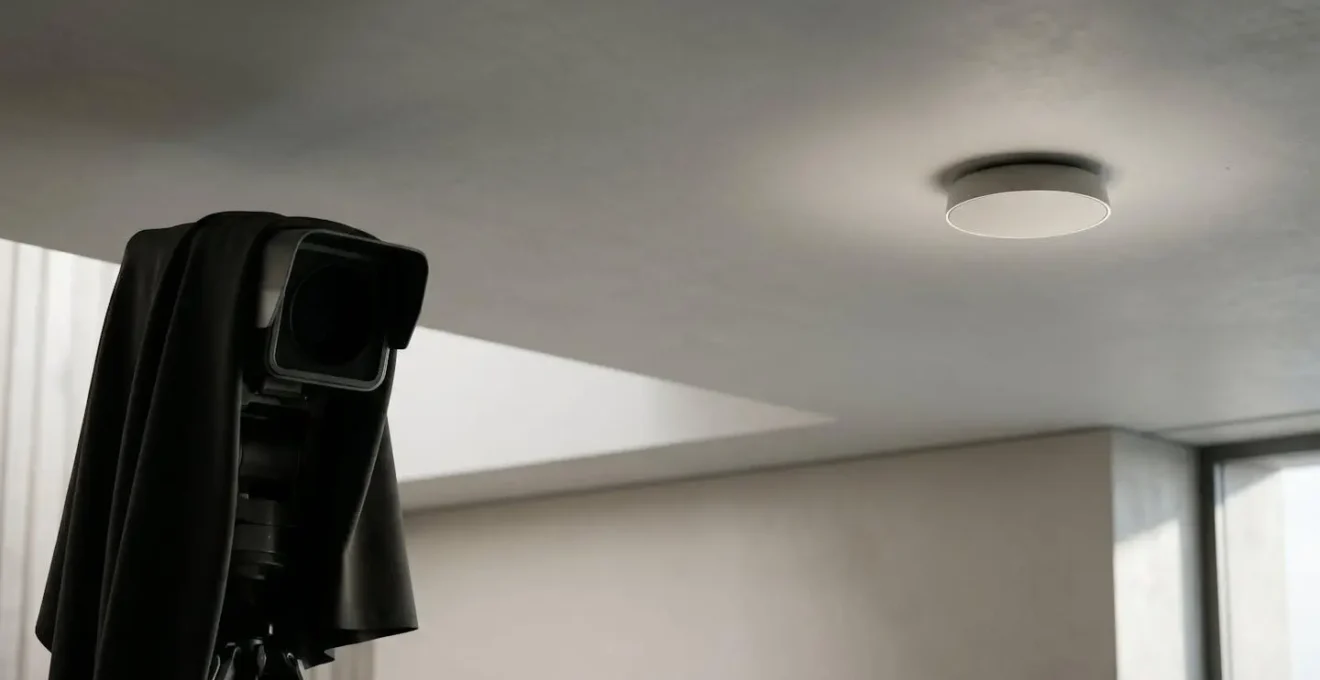
Unlike a camera that sees everything, a millimeter-wave (mmWave) radar sensor, like the one depicted above, perceives the world as a point cloud of data. It can detect a person’s posture, movement, and even breathing rate with incredible precision—more than enough to distinguish a sudden fall from the act of lying down. Yet, it is physically incapable of capturing an image or identifying a face. This is not « privacy by policy » (a promise not to look) but privacy by physics.
Case Study: Fall Detection That Can’t See You
A system built with 60 GHz mmWave radar demonstrates this concept perfectly. It tracks motion with enough precision to detect the subtle differences in limb movement between a fall and a crouch, but its 3.75 cm range resolution makes it physically impossible to reconstruct a person’s facial features. The system offers life-saving detection while maintaining complete visual anonymity. This approach inherently complies with strict privacy frameworks like GDPR and HIPAA because it never collects personally identifiable visual data in the first place.
When to Link Smart Home Sensors to Professional Monitoring Services?
A smart home can be programmed to send an alert to a family member’s phone when a fall is detected. But what if you’re in a meeting, on a plane, or simply asleep? A DIY alert system is only as good as the recipient’s availability to respond. For seniors at higher risk, linking smart sensors to a 24/7 professional monitoring service is a critical step up in reliability. These services employ trained agents who can assess the situation and dispatch emergency services immediately, bridging the gap of family unavailability.
The decision to upgrade from family-only alerts to professional monitoring should be based on a clear-eyed assessment of risk. Factors include the senior’s living situation, their specific medical conditions, and their history of falls. With medical alert system research indicating that over 14 million older adults report falling annually, with many requiring hospitalization, understanding this risk level is not a trivial matter. A senior with cognitive decline or a history of multiple falls who lives alone represents a much higher risk than one who lives with family and has no fall history.
The following decision matrix, based on industry best practices, can help you determine the appropriate level of response for your loved one’s specific situation.
| Senior Risk Level | Living Situation | Fall History | Recommended Response Tier | Key Features Needed |
|---|---|---|---|---|
| Low Risk | Lives with family | No previous falls | Family-only alerts (DIY) | Basic fall detection, smartphone notifications |
| Moderate Risk | Lives alone, family nearby | 1-2 falls in past year | Family alerts + neighbor check-in | GPS tracking, two-way audio, multiple emergency contacts |
| High Risk | Lives alone, limited family availability | 3+ falls or cognitive decline | Professional monitoring service | 24/7 monitoring center, automatic EMS dispatch, medical info pre-loaded |
| Critical Risk | Lives alone, serious medical conditions | Recent hospitalization from fall | Professional monitoring + daily check-ins | Cellular backup, professional verification, integrated telehealth |
When a high-risk event triggers an alert to a professional service, a clear and efficient chain of response is initiated. The agent doesn’t just blindly call 911; they first attempt to establish two-way communication through the device to verify the emergency. This human-in-the-loop process reduces false alarms while ensuring a rapid dispatch when needed, providing both families and seniors with a higher level of confidence.
Connected Internet of Things Devices: The Security Flaw That Exposes 1 in 5 Smart Homes
In our quest to build a connected safety net, we introduce a new vulnerability: cybersecurity threats. Every internet-connected device, from a smart lock to a fall sensor, is a potential doorway for malicious actors. A compromised smart home is more than an inconvenience; it can be a direct threat to a senior’s safety and privacy. An attacker could potentially disable locks, spy through connected devices, or launch a DDoS attack that takes the entire safety system offline precisely when it’s needed.
The fundamental mistake many people make is connecting critical life-safety devices to the same Wi-Fi network as their entertainment gadgets, smart TVs, and guest devices. These less-secure devices are frequent targets for hackers and can serve as a beachhead to attack more critical systems on the same network. The most important step in securing a smart home for a senior is network segmentation. This involves creating a dedicated, isolated Wi-Fi network exclusively for safety and medical devices.
This « safety-only » network should be secured with strong WPA3 encryption, a complex and unique password, and a firewall that blocks all unsolicited inbound connections. Features like UPnP (Universal Plug and Play), which automatically open ports for convenience, should be disabled as they create significant security holes. Furthermore, the system must include non-digital failsafes. As security experts often advise, physical access for first responders should never be solely dependent on a digital network. This is where a hybrid approach becomes essential.
Case Study: The Knox-Box Mechanical Failsafe
The Knox-Box system, a high-security lockbox that provides first responders with a physical key, is a perfect example of a mechanical failsafe. These rugged, UL-listed boxes are designed to resist physical attack and extreme weather. They provide guaranteed access for emergency services, completely bypassing the vulnerabilities of a digital smart lock system. Integrating a solution like this alongside a smart lock creates a hybrid security model. The smart lock provides convenience for family and caregivers, while the Knox-Box provides an unbreakable failsafe for professional first responders, ensuring access even if the entire home network is down or compromised.
Telehealth Platforms vs In-Person Visits: Which Is Safer for Diagnosing Skin Issues?
When a fall detection system works as intended, it triggers an immediate response. But what happens next? Before dispatching an ambulance for what might be a minor incident, a crucial intermediate step is often needed: triage. This is where telehealth platforms become an invaluable part of the post-fall response system. Rather than discussing general dermatology, the true value of telehealth in this context is for the immediate assessment of fall-related injuries like bruises, swelling, or skin tears.
With a professional monitoring service, the process is incredibly fast. Based on independent testing of leading systems, the average response time is between 48-62 seconds for a trained agent to open a two-way audio channel. This agent can immediately assess the senior’s state. If the senior is conscious and able to communicate, the agent can guide them to initiate a video call with an on-call nurse or doctor. This « tele-triage » can help determine if the injury requires an emergency room visit, a future doctor’s appointment, or simple first aid.
This approach has several safety advantages. It avoids the stress, physical difficulty, and expense of an unnecessary ambulance ride and emergency room visit. For a senior who is shaken but not seriously injured, being able to speak with a medical professional from the comfort of their own home is profoundly reassuring. However, the effectiveness of this virtual assessment depends entirely on the quality of the visual information provided to the remote clinician. A blurry, poorly lit video feed is worse than no information at all, making preparation and best practices essential for a safe and accurate diagnosis.
Key Takeaways
- Build in Layers: A single device is a single point of failure. A resilient system combines prevention (lighting), detection (sensors), and response (alerts, locks).
- Prioritize Dignity: Use privacy-preserving technologies like mmWave radar instead of cameras to monitor for falls without making a loved one feel spied on.
- Plan for Failure: Every system has a weakness. Ensure critical devices like locks have offline, mechanical backups (keypads, lockboxes) that work during power or internet outages.
Telehealth Platforms vs In-Person Visits: Which Is Safer for Diagnosing Skin Issues?
To make a post-fall tele-triage call safe and effective, you cannot simply point a phone at the injury and hope for the best. A remote physician’s ability to accurately assess a contusion, skin tear, or potential fracture depends on clear visual data and context. As the caregiver or family member assisting with the call, your role is to act as the physician’s eyes and hands. Following a structured set of best practices can make the difference between a successful virtual assessment and a dangerous misdiagnosis.
The goal is to provide the medical professional with information that is as close as possible to what they would gather in person. This involves more than just a good camera; it’s about preparing the environment, the patient, and the necessary medical history to enable rapid and confident clinical decision-making. A calm, well-prepared approach ensures the senior receives the right level of care without unnecessary stress or delay.
To conduct a successful post-fall injury assessment via telehealth, follow these critical steps:
- Ensure Proper Lighting: Position the senior near a window for natural light or turn on bright, direct overhead lights. Good lighting is non-negotiable for accurately assessing skin color, bruising, and swelling.
- Use a High-Resolution Camera: Use a modern smartphone camera (at least 12MP) to capture clear images from multiple angles. Take close-ups of the injury and wider shots to show its context on the body.
- Provide a Scale Reference: Place a common object with a known size, like a coin or a small ruler, next to the visible injury. This gives the remote physician a crucial sense of scale to judge the severity of swelling or the size of a laceration.
- Prepare Medical History: Have the senior’s complete medical history ready. This includes a list of current medications (especially blood thinners), known allergies, and a history of previous falls or related injuries.
- Have a Helper Present: A second person should be on the call to assist. They can help the senior perform gentle movement tests as directed by the physician, describe symptoms the senior might downplay (like pain levels), and immediately carry out any first-aid instructions.
Ultimately, creating a smart home that truly keeps a senior safe is an act of thoughtful design, not just a shopping trip. It requires you to think like a systems engineer, anticipating points of failure and building in layers of redundancy. By focusing on resilience, reliability, and respect for dignity, you can move beyond the anxiety of potential accidents and create a supportive environment that empowers your loved one to live independently and securely. To begin planning your own multi-layered system, the first step is to revisit and internalize the core principles of resilient design.