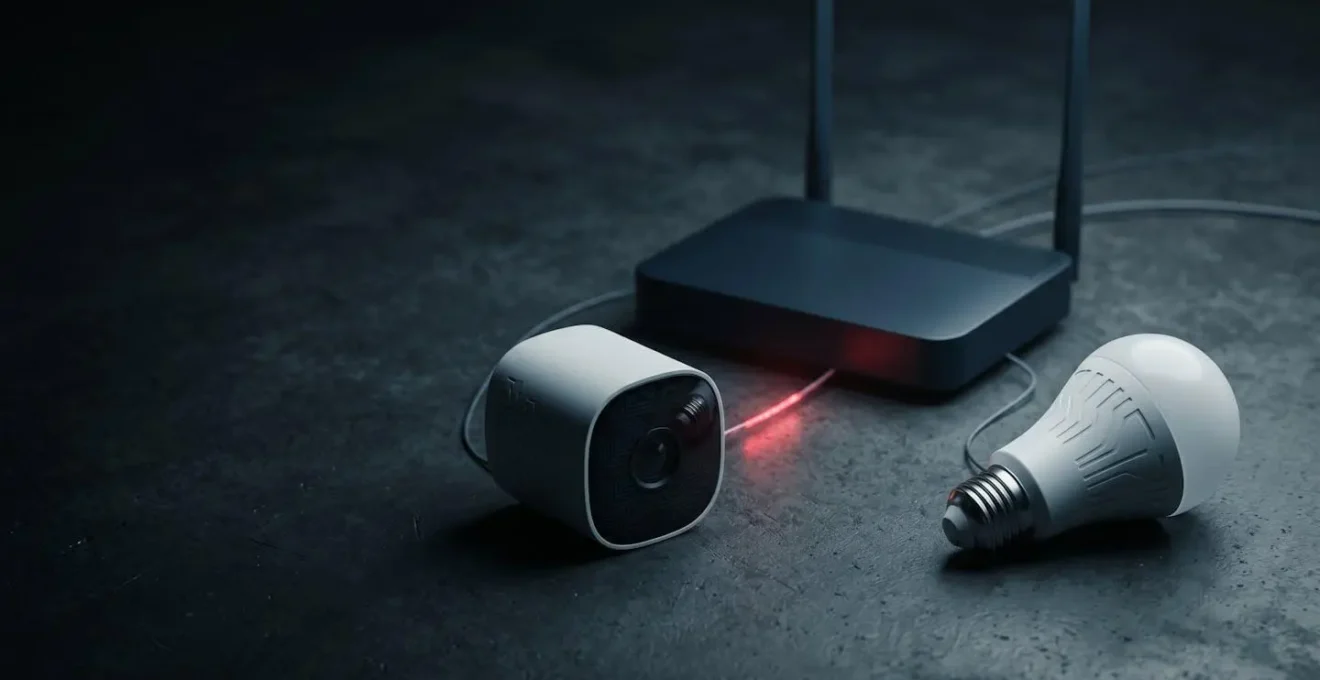
The biggest threat to your smart home isn’t a hacker guessing your password; it’s a cheap smart bulb giving them the keys to your entire network.
- Most IoT devices are insecure by design and can be used as « pivot points » to attack sensitive devices like laptops and phones on the same Wi-Fi.
- True security requires network segmentation—isolating IoT devices on a separate « guest » network—and adopting a « zero trust » mindset toward every connected gadget.
Recommendation: Immediately create a dedicated guest Wi-Fi network and move all of your smart devices—from light bulbs to thermostats—onto it.
You bought the smart speaker for convenience, the video doorbell for security, and the connected thermostat to save on your energy bills. But what if each new device you welcome into your home is another unlocked door for someone to walk into your digital life? As a homeowner, you’re rightfully concerned about a hacker accessing your cameras or personal data. Your privacy is paramount.
You’ve likely heard the standard advice: use strong passwords, enable two-factor authentication, and buy from reputable brands. While this is a good start, it misses the fundamental, architectural flaw in most smart homes. As a security professional who specializes in the Internet of Things, I can tell you that we don’t look for the heavily fortified front door; we look for the unlocked window in the basement. In your home, that window is your smart light bulb, your coffee maker, your ‘dumbest’ connected device.
The real danger isn’t the device itself, but the flat, undefended network they all share with your most sensitive electronics, like your laptop and phone. This is the attack vector that exposes one in five homes. The core issue is a lack of trust and verification. This guide is designed to change that. I’m not here to sell you more gadgets; I’m here to show you how to think like a hacker to build a digital fortress around your family and your data.
We’ll uncover why separating your devices is the single most critical security step you can take. We will explore how to choose future-proof technology, automate your defenses, and implement simple, enterprise-grade security protocols that don’t require a technical degree. It’s time to take back control.
This article provides a comprehensive overview of the key vulnerabilities in a modern smart home and the strategic actions you can take to mitigate them. The following sections detail each critical aspect of securing your connected ecosystem.
Contents: Fortifying Your Digital Home: A Strategic Guide
- Why Your Smart Light Bulbs Should Never Be on the Same Wi-Fi as Your Laptop?
- Matter vs Zigbee: Which Protocol Future-Proofs Your Smart Home Investment?
- How to Automate Firmware Updates for Devices With Poor Companion Apps?
- The « Always Listening » Risk: What Your Voice Assistant Records When You Are Silent
- When IoT Devices Clog Your Bandwidth: Troubleshooting Streaming Buffering
- Why Smart Home Energy Efficiency Upgrades Fail to Lower Bills for 40% of Homeowners?
- Implementing Enterprise-Grade Cybersecurity Protocols in a Remote Team of Under 10 People?
- Smart Home Automation for Seniors: Which System Best Detects Falls Without False Alarms?
Why Your Smart Light Bulbs Should Never Be on the Same Wi-Fi as Your Laptop?
The single biggest mistake homeowners make is placing all their devices on one flat network. You see a smart bulb, a thermostat, and a laptop. A hacker sees a cheap, insecure entry point with a direct, trusted pathway to your most valuable data. This strategy is called a pivot attack. The attacker doesn’t target your laptop with its firewall and antivirus; they target the $10 smart plug with outdated firmware and a default password.
The reality is that an astonishing 80% of IoT devices are vulnerable to attacks. These devices are often built by manufacturers who prioritize speed-to-market over security, leaving them with gaping holes. Once an attacker compromises a simple device, it’s trivial for them to scan your internal network and find your work laptop, your personal phone, or the NAS drive where you store your family photos. They are now « inside » your digital home, bypassing your main internet firewall entirely.
This isn’t theoretical. As security professionals at Rambus point out, this is a common attack vector:
A hacker who initially compromises a thermostat can theoretically gain access to an entire network and remotely unlock a door or change the keypad PIN code to restrict entry.
– Rambus IoT Security Team, Smart Home: Threats and Countermeasures
The solution is network segmentation. Most modern routers allow you to create a « Guest Wi-Fi » network. By placing all your IoT devices—lights, plugs, speakers, cameras—on this separate guest network, you create a digital wall. Even if a hacker compromises your smart bulb, they are trapped on the guest network, unable to see or attack your laptop, phone, or other critical devices on your primary, trusted Wi-Fi network. This simple action turns a catastrophic breach into a minor inconvenience.
Treating your IoT devices as untrusted guests is the first step toward adopting a professional security mindset. It costs nothing but a few minutes of your time and is more effective than any single security gadget you can buy.
Matter vs Zigbee: Which Protocol Future-Proofs Your Smart Home Investment?
Choosing the right technology is crucial for long-term security and usability. For years, the smart home has been a chaotic landscape of competing, incompatible standards like Zigbee and Z-Wave. This fragmentation is not just frustrating; it’s a security risk. Each manufacturer is responsible for their own security implementation, leading to inconsistent and often weak protections.
Enter Matter. It’s not just another protocol; it’s a new universal standard built on a foundation of security, backed by the biggest names in tech (Apple, Google, Amazon, Samsung). Matter doesn’t replace protocols like Wi-Fi and Thread; it runs on top of them as a secure application layer. Its goal is to make all devices speak the same secure language. This has led to rapid industry buy-in, with 29 promoters and 281 participants joining Matter within its first six months.
The most significant difference lies in Matter’s « secure-by-design » philosophy. Unlike Zigbee, where security features can be optional and vary by brand, Matter mandates a robust set of security protocols for every certified device. This includes mandatory device attestation using a blockchain-based ledger, ensuring that only legitimate, authorized devices can join your network. The table below highlights the key architectural differences that make Matter a more secure, future-proof choice.
| Feature | Matter | Zigbee |
|---|---|---|
| Security Model | Blockchain-based Distributed Compliance Ledger (DCL) + Public Key Infrastructure (PKI) | AES-128 encryption (implementation varies by manufacturer) |
| Authentication | Mandatory device attestation, authorized devices only | Optional commissioning, inconsistent across vendors |
| Interoperability | Universal cross-platform (Apple, Google, Amazon, Samsung) | Manufacturer-specific, requires compatible hub |
| Local Control | Full local operation without cloud dependency | Primarily local but may require hub with cloud features |
| Update Support | Backed by tech giants (Apple, Google, Amazon) with sustained commitment | Dependent on individual manufacturer support lifecycle |
| Network Type | Application layer (runs over Wi-Fi, Thread, Ethernet) | Mesh networking protocol (2.4 GHz frequency) |
While Zigbee remains a capable protocol for local mesh networking, its security relies heavily on the diligence of individual manufacturers. Matter’s strength is its enforced, standardized security baseline and the long-term commitment from tech giants to maintain and update it. For a homeowner investing in a smart home today, prioritizing Matter-certified devices is the smartest way to ensure your gadgets remain secure, compatible, and supported for years to come.
Investing in a protocol backed by a robust, cross-industry security framework provides peace of mind that a single manufacturer’s business decisions won’t leave your home vulnerable tomorrow.
How to Automate Firmware Updates for Devices With Poor Companion Apps?
A smart device is only as secure as its latest update. Hackers are constantly finding new vulnerabilities, and manufacturers release firmware updates to patch these holes. However, many homeowners neglect this crucial maintenance, leaving their networks wide open. The reason is often a poorly designed companion app that fails to notify users or makes the update process cumbersome. This creates a massive window of opportunity for attackers.
The consequences of unpatched devices are not hypothetical. They create persistent backdoors into your network, as demonstrated by a critical vulnerability found in a popular router brand.
Case Study: The Persistent Backdoor of TP-Link Routers
In 2024, attackers continued to exploit CVE-2023-1389, a known command-injection flaw in TP-Link Archer routers. Once compromised, these devices became pivot points to access internal networks, allowing attackers to steal data from servers and cloud applications. The case highlights a chilling reality: even after a patch is available, millions of unpatched devices remain active threats, serving as open invitations for attackers to maintain access for weeks or months before being detected.
Relying on dozens of different apps to manage updates is a failing strategy. You need a centralized, systematic approach. For devices with poor native support, the key is to either force automation through a central hub or take back control with alternative firmware. This checklist provides a strategic framework for managing your device lifecycle and closing these security gaps.
Your Monthly IoT Security Audit Checklist
- Credential Hardening: Go through your list of smart devices. Have you changed the default password on every single one? Use a password manager to create long, complex, and unique credentials for each device account.
- Authentication Lockdown: Audit all associated accounts (Tuya, Smart Life, Google Home, Alexa). Is two-factor authentication (2FA) enabled on every single one? If not, enable it now using an authenticator app, not SMS.
- Centralized Patch Management: Instead of checking 20 apps, use a central platform like Home Assistant or Hubitat. These systems can often detect available firmware updates across multiple brands and flag them in a single dashboard. Schedule a « Patch Tuesday » for your home once a month to review and apply all pending updates.
- Orphan Device Triage: Identify your « IoT Orphans »—devices from defunct companies or those no longer receiving updates. Are they critical? If not, unplug them. If they are, research open-source firmware alternatives like Tasmota or ESPHome, which give you back control over the update process.
- Permission Review: Open the companion app for your top 5 most-used devices. Go to the app permissions on your phone. Does your smart light app really need access to your contacts and microphone? Revoke all non-essential permissions based on the principle of least privilege.
By taking control of the update process, you are actively closing the doors that manufacturers have left open, significantly reducing your home’s attack surface.
The « Always Listening » Risk: What Your Voice Assistant Records When You Are Silent
The microphone on your smart speaker is a marvel of engineering, designed to pick up your voice from across a noisy room. It’s also a source of deep-seated privacy concerns for many users. The core fear is simple: is this device recording everything, even when I haven’t said the wake word? The answer is nuanced, but the potential for misuse is very real.

Technically, these devices are designed to listen locally in short buffers for the wake word (e.g., « Alexa, » « Hey Google »). Only after the wake word is detected is the subsequent audio streamed to the cloud for processing. However, this process is not infallible. Accidental activations are common, caused by words on TV or in conversation that sound similar to the wake word. When this happens, snippets of private conversations—discussions about finances, health, or personal relationships—are sent to and stored on company servers.
These user concerns are not unfounded and are clearly reflected in usage data. A recent survey revealed that nearly 60% of respondents were at least occasionally concerned about privacy when using voice assistants. This widespread anxiety is a major barrier to adoption, with other industry data showing that for many, the potential privacy cost outweighs the convenience. Specifically, research shows that over a third of potential users are holding back due to these exact fears.
To be clear, there is no evidence of malicious, constant eavesdropping by major manufacturers. However, every recording sent to the cloud, whether intentional or accidental, creates a data point that can be exposed in a data breach, subpoenaed by law enforcement, or used by the company for analysis. The risk isn’t necessarily that someone is listening in real-time, but that a permanent record of your private moments could be created and exposed without your explicit consent. Your gut feeling that this is a privacy minefield is largely correct, and you should take steps like regularly reviewing and deleting your voice history and being mindful of where these devices are placed.
Ultimately, the « always listening » device requires a level of trust in the manufacturer’s technology, security, and ethics. It’s a trade-off that every user must weigh for themselves.
When IoT Devices Clog Your Bandwidth: Troubleshooting Streaming Buffering
You’ve invested in high-speed internet, yet your 4K movie night is a stuttering, buffering mess. Before you call your ISP, you should look at your army of smart devices. While a single smart bulb uses negligible data, a network of chatty, unoptimized, or compromised IoT devices can collectively sabotage your internet performance. The problem isn’t the number of devices, but what they’re doing in the background.
Network security researchers have a clear take on this. As one analysis notes, the cause of congestion is often misunderstood:
Network congestion is rarely caused by the number of devices, but by the type. A single 4K camera uploading to the cloud uses vastly more bandwidth than 30 smart bulbs and sensors combined.
– Network Security Researchers, Help Net Security IoT Analysis
There are two primary culprits. The first is bandwidth-hungry devices, particularly security cameras. A camera constantly uploading high-definition video to the cloud can consume a significant portion of your upload bandwidth, which is often much lower than your download speed. This can cause network-wide slowdowns, affecting everything from video calls to streaming.
The second, more sinister cause is a compromised device. When a smart device is infected with malware, it can be conscripted into a botnet. These botnets are used to carry out large-scale Distributed Denial of Service (DDoS) attacks, flooding targets with junk traffic. A device participating in such an attack is constantly sending out data, consuming your bandwidth and slowing your entire network to a crawl. The scale of this problem is staggering; IoT botnets now generate more than 40% of all DDoS traffic globally. If your internet suddenly becomes sluggish for no apparent reason, a compromised IoT device is a likely suspect.
Troubleshooting should start by turning off your security cameras one by one to see if performance improves. If that fails, the network segmentation strategy mentioned earlier is also a powerful diagnostic tool. By moving devices to a guest network, you can use your router’s admin panel to monitor traffic from that segment and identify any single device that is sending or receiving an unusually high amount of data.
Why Smart Home Energy Efficiency Upgrades Fail to Lower Bills for 40% of Homeowners?
The promise is alluring: install a smart thermostat, smart lighting, and automated blinds, and watch your energy bills plummet. The reality for many is far more disappointing. Despite a booming global smart home market, a significant portion of homeowners see little to no savings from their energy efficiency upgrades. The problem isn’t the devices themselves, but a phenomenon known as « ecosystem failure. »

Ecosystem failure occurs when individual smart devices operate in isolation, unable to communicate or coordinate with each other. You might have the best smart thermostat and the most efficient smart blinds, but if the thermostat doesn’t know the blinds are open and letting in the hot afternoon sun, it will continue to run the AC, negating any potential savings. The devices are « smart, » but the system as a whole is « dumb. »
This fragmentation is a direct result of a market where different brands don’t play well together. A case study analysis of the market clearly illustrates this disconnect.
Case Study: The Disconnected Home Ecosystem
Market research reveals that while security and access control dominate smart home adoption, energy management devices often operate in silos. The ‘ecosystem failure’ phenomenon occurs when smart thermostats, lighting, and blinds don’t communicate. For example, a smart thermostat continues heating while a sensor detects a window is open, or smart lights stay on during peak rate hours despite presence sensors showing an empty home. This fragmentation prevents the very synergy needed for savings, effectively negating the potential 10-23% reduction in energy costs that a properly integrated system could achieve.
True energy savings don’t come from individual devices; they come from holistic automation routines. For example: a routine where geofencing detects you’ve left the house, which then automatically sets back the thermostat, turns off all lights, and closes the blinds. Or a morning routine where blinds open to let in natural light, allowing the smart lighting to remain off.
To avoid this pitfall, homeowners must think in terms of ecosystems, not just devices. Before buying, ensure the products work within a single platform like Apple HomeKit, Google Home, or Home Assistant that can orchestrate them effectively. Without this central « brain, » your collection of smart devices will never become a truly smart home.
Implementing Enterprise-Grade Cybersecurity Protocols in a Remote Team of Under 10 People?
The line between home and office has blurred. For small businesses and remote teams, the home network is now an extension of the corporate network. This means the security vulnerabilities of a smart home—like an insecure thermostat or light bulb—are now direct threats to business security. Applying enterprise-level security concepts to a home environment is no longer optional; it’s essential for protecting sensitive company data.
The core principle that large corporations use is called Zero Trust Architecture. The philosophy is simple: never trust, always verify. It assumes that threats can come from inside the network as well as from the outside. You don’t get a free pass just because you’re connected to the « trusted » Wi-Fi. For a home or small office, this means treating every device, including your own computer, as potentially hostile.
The interconnected nature of smart devices makes this mindset critical. As security analysts frequently warn, the weakest link defines the strength of the entire chain.
The interconnected nature of smart home systems means that compromising one device can provide access to entire networks. A hacked smart light bulb or thermostat might seem trivial, but these devices often share network access with more sensitive systems.
– Rolling Out Security Analysis Team, IoT Security Flaws Report
Translating this enterprise-grade concept into a home setting doesn’t require expensive hardware. It requires a strategic approach based on four key protocols:
- Network Segmentation: This is the cornerstone of Zero Trust at home. At a minimum, create three separate Wi-Fi networks: one for trusted work devices (laptops, phones), one for untrusted IoT devices (speakers, lights, cameras), and one for guests who are visiting. This contains any potential breach to the least sensitive network.
- Least Privilege Access: Audit the permissions of every app and device. Your work laptop does not need to communicate with your smart TV. Use router settings or software firewalls to block unnecessary communication between devices and segments. Similarly, companion apps on your phone should have minimal permissions—your smart plug app doesn’t need your location data.
- Incident Response Checklist: What do you do when you suspect a breach? Don’t panic. Have a simple, laminated checklist ready. It should include: (1) Physically unplug the suspect device from power. (2) Immediately change your Wi-Fi password. (3) Change the password for the device’s associated cloud account. (4) Only after factory resetting the device should you consider plugging it back in.
- Asset Management: You can’t protect what you don’t know you have. Keep a simple spreadsheet of every smart device connected to your network. Document its brand, model, purchase date, and a link to its support page. This creates an inventory for systematic update tracking and helps identify old, unsupported devices that need to be retired.
This structured approach moves you from a reactive posture of fixing problems to a proactive one of preventing them, which is the essence of professional cybersecurity.
Key Takeaways
- Isolate all IoT devices on a dedicated guest Wi-Fi network; it’s the single most effective security measure you can take to protect your sensitive data.
- Prioritize devices using modern, secure, and interoperable protocols like Matter, which enforces stricter security standards by design.
- Assume any device can be compromised. Adopting a « Zero Trust » mindset and performing regular, systematic firmware updates are non-negotiable habits for a secure home.
Smart Home Automation for Seniors: Which System Best Detects Falls Without False Alarms?
For seniors wishing to age in place, smart home technology offers a powerful promise: enhanced safety and independence. The most critical application in this space is automated fall detection. A quick response after a fall can dramatically improve outcomes, making the reliability of these systems a matter of life and death. The market is flooded with options, but for a privacy-conscious family, the choice involves a difficult trade-off between accuracy and intrusiveness.
The security and access control segment dominated the market with over 29% share in 2024, largely driven by the demand for monitoring and real-time alerts. In the context of senior care, this translates to a desire for a system that is both highly accurate in detecting real falls and has a very low rate of false alarms, which can cause unnecessary stress and « alarm fatigue. »
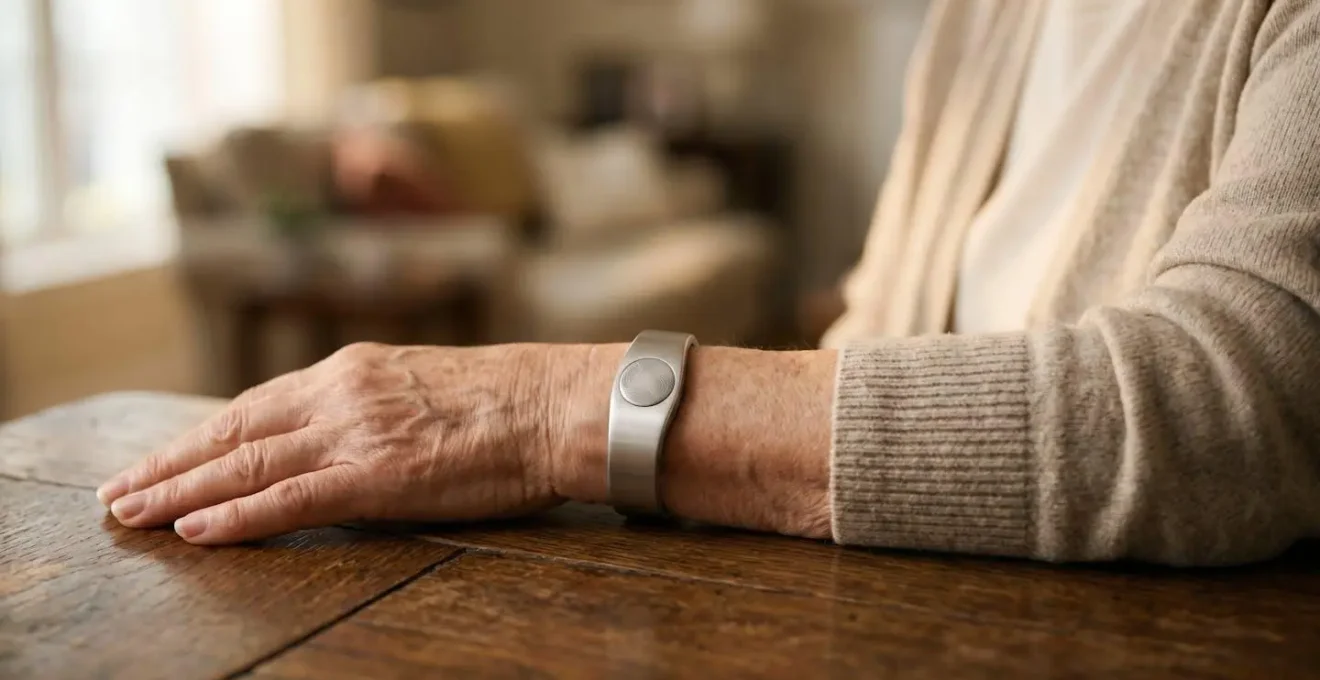
Different technologies approach this problem in vastly different ways, each with its own privacy implications. Wearable pendants are common but can be forgotten or refused. AI cameras offer the highest accuracy but represent a significant privacy intrusion. The table below compares the leading technologies on the metrics that matter most to families: privacy, accuracy, and reliability.
| Technology Type | Privacy Level | Accuracy | False Alarm Rate | Backup Power |
|---|---|---|---|---|
| Wearable Devices (smartwatch/pendant) | High (on-body only) | Medium (85-90%) | Medium (10-15%) | Battery-dependent (1-3 days) |
| Non-Visual Radar Sensors | Very High (motion dots only) | High (92-95%) | Low (5-8%) | Requires UPS backup |
| Pressure Mats (bed/chair) | Very High (presence only) | Medium (80-85%) | High (15-20%) | Wired power |
| Multi-Sensor Fusion System | High (no visual data) | Very High (95-98%) | Very Low (2-5%) | Hybrid with cellular backup |
| AI Camera Systems | Low (visual recording) | Very High (96-99%) | Low (3-6%) | Requires UPS backup |
As the data shows, there is a clear trade-off. For maximum privacy, non-visual radar sensors that map a room using radio waves (similar to how bats « see ») offer a compelling balance of high accuracy and low false alarms without any visual recording. However, the most accurate systems are multi-sensor fusion systems that combine data from several sources (e.g., radar, pressure mats, and acoustic sensors) to create a highly reliable picture of a person’s state. These systems are more complex and expensive but offer the best performance without resorting to cameras.
Securing a home for a senior isn’t just about preventing intrusions from the outside; it’s about providing a safe, reliable safety net on the inside. Choose the system that best fits the user’s lifestyle and privacy expectations, and ensure it has a reliable backup power and communication method, as a fall is just as likely to happen during a power outage.