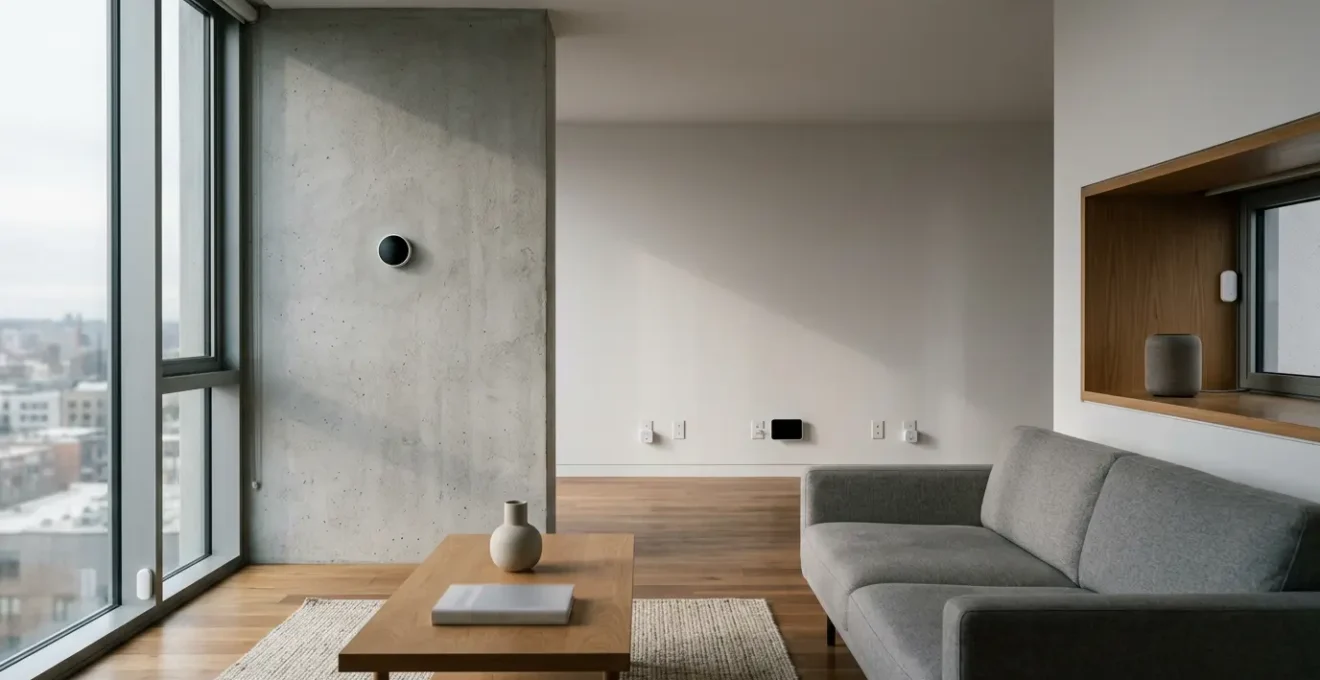
Your smart home isn’t failing because the technology is flawed, but because the strategy is. The key to lower bills isn’t buying more gadgets—it’s calibrating the system you already own.
- Most energy waste comes from « efficiency blind spots » like phantom loads and incorrect sensor placement, which negate smart device benefits.
- A fragmented system of devices working in isolation is inefficient; an integrated and audited ecosystem is required for real savings.
Recommendation: Before investing in new hardware, conduct a systematic energy audit of your existing devices to identify and eliminate the true sources of waste.
You did everything right. You invested in a smart thermostat, installed smart plugs on your major electronics, and meticulously set up schedules. You embraced the promise of a home that is not only more convenient but also lighter on your wallet and the planet. Yet, month after month, you look at your utility bill with a familiar sense of frustration. The needle hasn’t moved. For many homeowners, this is a confusing and disappointing reality; the smart technology that promised efficiency seems to be falling short.
The common advice is often to buy the next-generation device or add more gadgets to the network. But this approach rarely solves the underlying issue. The problem isn’t usually a lack of technology but a lack of a cohesive strategy. Your smart home is more than a collection of individual devices; it’s an ecosystem. And when that ecosystem is uncalibrated, misaligned, or addressing the wrong problems, it can’t deliver on its promise of savings. In my experience as a home energy auditor, I’ve found that the biggest gains come not from adding more, but from optimizing what’s already there.
But if the solution isn’t more tech, what is it? The answer lies in shifting your mindset from a consumer to an auditor. Instead of simply installing devices, we need to diagnose where the energy is actually going. The true failure point is often hidden in plain sight—in the silent hum of a standby appliance, a misplaced sensor giving false readings, or a cloud-dependent system that’s slow and inefficient. This guide will walk you through a professional diagnostic process, moving beyond the superficial settings to uncover and correct the deep-seated inefficiencies that are keeping your energy bills high.
This article provides a structured audit to help you diagnose the real reasons your smart home isn’t saving you money. Each section tackles a common point of failure, providing expert insights and actionable solutions to transform your collection of gadgets into a truly efficient energy-saving system.
Summary: Uncovering Why Your Smart Home Upgrades Are Failing
- How to Detect and Eliminate Phantom Loads Using Smart Plugs?
- Smart Thermostat Settings: The Winter Schedule That Maximizes Comfort and Savings
- Smart Sensors vs New Windows: Which Investment Pay Off Faster?
- The Sensor Placement Mistake That Ruins Your HVAC Efficiency
- When to Run High-Energy Appliances: Automating Around Peak Rates
- Connected Internet of Things Devices: The Security Flaw That Exposes 1 in 5 Smart Homes
- Which Scalable Cloud Computing Infrastructure Offers the Best ROI for Bootstrapped SaaS?
- From Gadget Graveyard to an Efficient Ecosystem: A Final Audit
How to Detect and Eliminate Phantom Loads Using Smart Plugs?
One of the most significant and misunderstood sources of energy waste in a modern home is « phantom load » or « vampire power. » This is the electricity consumed by your electronics even when they are turned « off » or in standby mode. Think of your TV, game console, or coffee maker—they are constantly drawing a small amount of power to be ready for your remote command or to display a clock. While a single device’s phantom load is minimal, collectively, they represent a major efficiency blind spot. In fact, these silent energy drains can account for up to 20% of total electricity usage in a typical home.
The challenge with phantom loads is that they are invisible. You can’t manage what you can’t measure. This is where smart plugs with energy monitoring capabilities transform from simple conveniences into powerful diagnostic tools. By using them to systematically measure the standby consumption of your devices, you can create a data-driven plan to eliminate waste. It’s the first and most crucial step in any home energy audit, turning abstract waste into a tangible, solvable problem. Instead of guessing, you can identify the exact culprits and use the same smart plugs to automatically cut their power when they’re not in use.
Your Action Plan: The Phantom Load Audit
- Identify & Isolate: Use a smart plug with energy monitoring to identify which of your appliances draw significant power while in standby mode. Check your entertainment center, kitchen appliances, and home office equipment first.
- Map Your Waste: Rotate a single smart plug across different outlets and appliances over the course of a week. Keep a log to build a comprehensive map of your home’s phantom energy consumption.
- Automate the Kill Switch: Once you’ve identified the worst offenders, set up schedules and automation routines. For example, automatically cut all power to your entertainment center between 1 AM and 6 AM, or use geofencing to turn off your office setup when you leave home.
- Calculate Your ROI: Use the data you’ve gathered to make informed decisions. Calculate the payback period for each smart plug: (Phantom Load Wattage × Hours Off × Your Cost per kWh) versus the cost of the plug itself.
- Integrate and Prioritize: Create « scenes » in your smart home app (e.g., « Good Night ») that not only turn off lights but also cut power to non-essential phantom loads. Prioritize automating the highest-wattage offenders for the quickest savings.
By treating your smart plugs as audit instruments, you move beyond simple on/off commands and begin to strategically manage your home’s energy baseline, which is fundamental to achieving real savings.
Smart Thermostat Settings: The Winter Schedule That Maximizes Comfort and Savings
The smart thermostat is often the cornerstone of a home’s energy efficiency strategy, yet it’s frequently misconfigured, leading to disappointing results. The promise is alluring: a device that learns your habits and optimizes heating and cooling automatically. While an ENERGY STAR certified model can deliver average savings of about 8% on heating and cooling bills, achieving this requires understanding the principles behind the settings, not just setting a simple schedule.
The single most effective strategy is the temperature setback. Many homeowners resist this, fearing their home will be uncomfortably cold. However, the logic is sound and endorsed by energy experts. As the U.S. Department of Energy explains, a temporary setback is a powerful tool for savings:

You can save as much as 10% a year on heating and cooling by simply turning your thermostat back 7°-10°F for 8 hours a day from its normal setting.
– U.S. Department of Energy, Programmable Thermostats Guide
The key is to leverage your smart thermostat’s « adaptive recovery » or « early start » feature. This allows the system to learn how long it takes to bring your home back to a comfortable temperature and start the heating cycle at the perfect time—just before you wake up or return home. This way, you get the full benefit of the energy-saving setback period without ever feeling the chill. A proper winter schedule isn’t just about setting temperatures; it’s about setting them for when you’re away or asleep, and trusting the system calibration to restore comfort seamlessly.
Ultimately, a smart thermostat is not a « set and forget » device but a dynamic tool. Maximizing its value requires embracing temperature setbacks and allowing its smart features to manage the transitions, ensuring both comfort and savings.
Smart Sensors vs New Windows: Which Investment Pay Off Faster?
When homeowners seek to combat high heating and cooling bills, their thoughts often turn to major capital improvements like replacing windows. While old, leaky windows are certainly a source of energy loss, a full replacement is a massive financial undertaking with a long and often uncertain return on investment (ROI). For example, the cost of smart windows can range from $50 to $150 per square foot, compared to just $10 to $15 for standard glass. This prompts a crucial question for the budget-conscious homeowner: is there a smarter, faster way to achieve similar results?
The answer often lies not in physical fortification, but in data-driven optimization. Instead of spending thousands on new windows, a small investment in smart temperature and occupancy sensors can yield a much faster payback. By placing sensors in key rooms, you can direct your HVAC system to heat or cool spaces based on actual use and real-time temperature, rather than relying on a single reading from your thermostat’s location. This targeted approach prevents the system from overheating or overcooling unused areas, directly addressing one of the largest sources of HVAC waste.
Case Study: The ROI of Window Replacement
A frequent scenario involves homeowners with single-pane windows from the 1980s. Analysis shows that replacing these with modern, energy-efficient models can lead to significant savings. Homeowners have reported energy bill reductions of 20-30% annually. While these savings are substantial, the upfront investment often exceeds $200 per window. This means the ROI is heavily dependent on the severity of the climate and the age of the existing windows, with payback periods often spanning many years. This makes a sensor-based strategy, which can cost less than a single new window, a far more attractive first step in an energy audit.
While new windows have their place in a long-term energy strategy, smart sensors represent a more immediate, affordable, and surgically precise method to start cutting HVAC costs, making them a clear winner for faster ROI.
The Sensor Placement Mistake That Ruins Your HVAC Efficiency
You can have the most advanced smart thermostat on the market, but if its sensors are in the wrong place, you are not just failing to save money—you are actively wasting it. Sensor placement is arguably the most critical and commonly overlooked factor in HVAC efficiency. A poorly placed sensor gives your system a completely inaccurate picture of your home’s thermal environment, causing it to run too long, turn on and off frequently (a phenomenon known as « short cycling »), or fail to heat and cool the areas you actually use. Research shows that this single mistake is a major efficiency blind spot, potentially triggering an up to 20% increase in energy consumption.
Imagine your thermostat’s sensor is like its single eye into the world. If that eye is staring directly at a sun-drenched wall, it will think the entire house is hot and run the AC, even if the rest of the room is perfectly comfortable. If it’s placed in a drafty, unused hallway, it will think the house is cold and run the heat constantly. The goal of a diagnostic audit is to find these « ghost readings » and reposition your sensors to reflect the temperature of the spaces where you actually live.
For a truly smart system, especially in larger or multi-level homes, relying on a single sensor is a recipe for failure. Creating a « sensor mesh » with additional, affordable remote sensors is key. This allows the thermostat to average the temperatures from multiple locations (or prioritize certain rooms at different times of day), giving it a much more accurate, holistic view of your home’s needs. To ensure your sensors are working for you, not against you, follow these fundamental placement guidelines:
- Place sensors on interior walls, away from direct sunlight, drafts from windows or doors, and heat sources like lamps, electronics, or kitchen appliances.
- Install them at a height of approximately 52 to 60 inches (about 1.5 meters) from the floor to read the average air temperature, avoiding the cooler air near the floor and warmer air near the ceiling.
- Avoid placing them in « dead zones » with poor air circulation, such as corners, or in low-traffic areas like hallways that don’t represent your living spaces.
- Never place a sensor directly in the path of an HVAC supply vent, as this will cause the system to short cycle.
By taking a few minutes to audit and correct your sensor locations, you can often unlock more savings than by tweaking any software setting.
When to Run High-Energy Appliances: Automating Around Peak Rates
Another layer of smart home savings that many homeowners miss is optimizing for Time-of-Use (TOU) or « peak » electricity rates. Many utility providers charge significantly more for electricity during periods of high demand, typically in the late afternoon and early evening when people return from work. Running a high-energy appliance like a dishwasher, washing machine, or electric vehicle charger during these peak hours can dramatically inflate your bill, even if the appliance itself is energy-efficient.
This is where strategic automation becomes a powerful financial tool. Instead of manually trying to remember to run your dishwasher at midnight, you can use smart plugs or the built-in scheduling features of modern appliances to do it for you. By programming your devices to operate only during off-peak hours when electricity is cheapest, you are directly aligning your consumption with the lowest costs available. This strategy doesn’t reduce the total amount of energy the appliance uses, but it significantly reduces the price you pay for that energy.
While the savings from a single smart plug might seem small, contributing just 1% to 5% of annual energy usage according to NREL research, the cumulative effect across multiple appliances can be substantial. The first step is to check with your utility provider to see if they offer a TOU plan and to understand your specific peak and off-peak hours. Once you have that information, you can perform a simple audit of your daily routines and identify every high-draw appliance that can be shifted to run during cheaper times. This simple shift in timing, powered by automation, is one of the clearest examples of a smart home working to actively lower your bills.
This proactive management turns a static, high-cost activity into a dynamic, cost-saving process, ensuring you’re always paying the lowest possible price for the energy you need.
Connected Internet of Things Devices: The Security Flaw That Exposes 1 in 5 Smart Homes
In our quest for a connected home, we often create a network of devices that are « always on, » ready to respond to our commands. While convenient, this creates a significant energy drain. Beyond the active phantom loads we’ve discussed, there’s a more insidious issue: insecure or outdated « zombie devices. » These are Internet of Things (IoT) gadgets—old smart cameras, forgotten smart speakers, or unsupported smart plugs—that no longer receive security updates from their manufacturers. Not only do they pose a serious security risk to your home network, but they also contribute to your energy bill. These devices, constantly trying to connect to servers that may no longer exist or running outdated, inefficient firmware, contribute to the baseline of energy waste. As The New York Times reports, this standby power from a web of connected devices can account for up to 25% of energy waste in U.S. homes.
An insecure smart home is often an inefficient one. A compromised device, co-opted into a botnet, can exhibit unusual network activity and energy consumption as it performs tasks for a malicious actor. From an energy auditor’s perspective, a device that is drawing power 24/7 without a clear purpose is a red flag for both security and efficiency. Part of a thorough diagnostic audit is inventorying every single device connected to your network. You must identify what each device is, what it does, and whether it is still supported and secure.
Removing these zombie devices from your network is a critical step. It not only hardens your digital security but also trims your energy consumption by eliminating unnecessary and inefficient background processes. A truly « smart » home is one that is not only automated but also secure, lean, and purposefully managed. Any device that isn’t contributing to your comfort or efficiency while still drawing power is a liability that needs to be addressed.
By regularly auditing your connected devices for security and relevance, you can ensure your smart home ecosystem remains both safe and efficient.
Which Scalable Cloud Computing Infrastructure Offers the Best ROI for Bootstrapped SaaS?
A crucial, yet often invisible, factor determining the long-term cost and effectiveness of your smart home is its underlying architecture: is it dependent on the cloud, or does it run locally? Most mainstream smart home products (from brands like Google, Amazon, and Tuya) are cloud-based. This means your commands—and your data—are sent over the internet to a manufacturer’s server, processed, and then sent back to the device in your home. This model has its benefits, like easy setup and remote access, but it introduces significant long-term risks and inefficiencies that can undermine your savings.
Local-first solutions (powered by platforms like Home Assistant or Hubitat) take a different approach. A central hub in your home processes automations and commands directly, without needing to communicate with an external server for core functions. This has profound implications for cost, privacy, and performance. As an energy auditor, I see the hidden « costs » of the cloud everywhere: latency in automations, devices failing when the internet goes down, and the looming risk of a manufacturer discontinuing server support, turning your expensive hardware into a « brick. » A local system is resilient and future-proof. You own your data, your automations are lightning-fast, and you are not locked into a single brand’s ecosystem.
This table breaks down the fundamental trade-offs between the two models. For a homeowner serious about long-term optimization and control, the choice of architecture is as important as the choice of any single device.
| Feature | Cloud-Based Platforms | Local-First Solutions |
|---|---|---|
| Initial Cost | Lower (no hub required) | Higher (requires hub/server) |
| Internet Dependency | High (fails without connection) | Low (core functions work offline) |
| Privacy | Data sent to manufacturer servers | Data stays local |
| Vendor Lock-in | High (ecosystem-specific) | Low (cross-brand compatible) |
| Long-term Cost | Subscription fees, obsolescence risk | No recurring fees, future-proof |
| Performance | Latency from cloud processing | Instant local execution |
| Scalability | Limited to ecosystem devices | Unlimited cross-platform integration |
While the cloud offers simplicity, a local-first approach provides the control, privacy, and performance necessary for a truly optimized and cost-effective smart home ecosystem.
Key Takeaways
- Your smart home is an ecosystem, not a gadget collection; system calibration is more important than acquiring new devices.
- Focus your audit on identifying « efficiency blind spots » like phantom loads and incorrect sensor placement before investing in major hardware upgrades.
- True optimization combines strategic automation (like scheduling around peak rates) with a resilient system architecture (local-first) that gives you ultimate control.
From Gadget Graveyard to an Efficient Ecosystem: A Final Audit
We’ve journeyed through the most common failure points of a modern smart home, from the invisible drain of phantom loads to the strategic blunder of a misplaced sensor. The recurring theme is clear: a collection of smart devices does not automatically create a smart or efficient home. True efficiency is born from a holistic approach, viewing your home as a single, integrated energy ecosystem that requires deliberate calibration and regular audits.
The final and most crucial step is to move from a reactive to a proactive stance. This means establishing a routine for auditing your system’s health, security, and efficiency. Don’t wait for a high utility bill to investigate. Instead, schedule a quarterly check-up to hunt for new zombie devices, verify that firmware is up to date, and review your energy monitoring data to spot new patterns of waste. Creating a separate « IoT Guest Wi-Fi » network for your smart devices is a powerful step, isolating them from your sensitive personal data and making it easier to monitor their activity.
Taking control of your smart home means treating it like the critical infrastructure it is. This involves using strong, unique passwords, enabling two-factor authentication on all your smart home accounts, and being ruthless about decommissioning devices that are no longer supported or serving a useful purpose. A secure and well-maintained network is a more efficient network.
Start today by choosing one area from this guide—whether it’s mapping your phantom loads, repositioning a sensor, or researching a local-first hub. By taking one small, diagnostic step, you begin the process of transforming your frustrating collection of gadgets into the truly smart, responsive, and energy-saving home you were promised.